

Shared flat expenses, clear every month.
Rent, bills, internet, the shared shopping… In Rounddrop every flatmate sees what they've paid and what their share is, without spreadsheets or «how much did I owe you?» messages.
Free · On your phone and computer · Works offline too
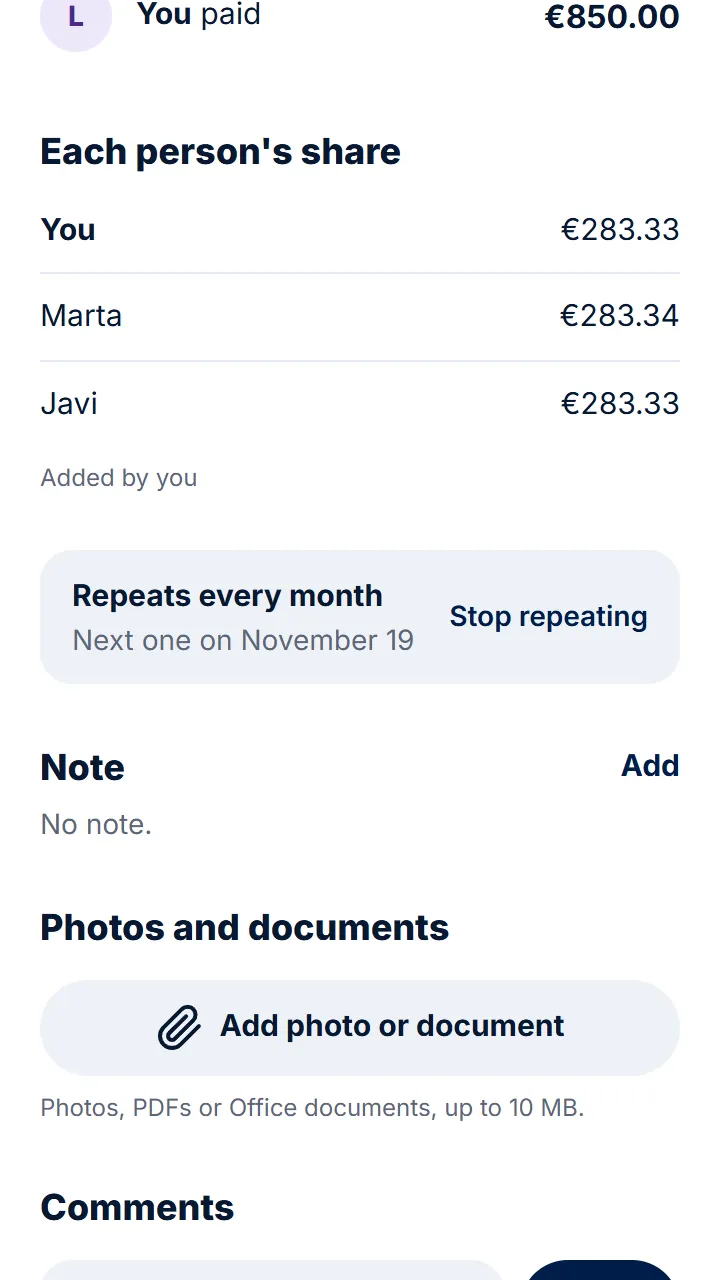
-
Recurring expenses
Rent or internet add themselves every month.
-
Sunday reminder
Whoever owes something gets a notification. Without you having to chase them.
-
When someone moves out
They leave the group once they're square, and their expenses stay in the accounts.
-
In Excel
Download all the flat's expenses whenever you want.
In three steps
- 1 Create the flat group and add your flatmates.
- 2 Add the rent and the bills as recurring expenses.
- 3 Every month, whoever owes pays and records it.
Questions
Can rent be split according to the room?
Yes. Split it by amounts, percentages or shares, and repeat it every month with the same split.
What happens when someone new moves in?
You add them to the group and they share expenses from then on. Earlier ones don't change.
Can I see how much we spend each month?
Yes. «Totals» shows what the group spends each month and by category.
Step-by-step guides
- Create a group and invite the others One for the flat, another for the trip: create the group and send them the link.
- Recurring expenses Rent, bills or a subscription, without adding them every time.
- Splitting an expense another way When not everyone takes part or pays the same.
- Notifications and reminders Find out when someone adds an expense for you or pays you.
Start splitting expenses today. It's free.
Get started for freeAlso: Split trip expenses Couple expenses Split expenses with friends Split a meal bill