

The meal bill, split in a moment.
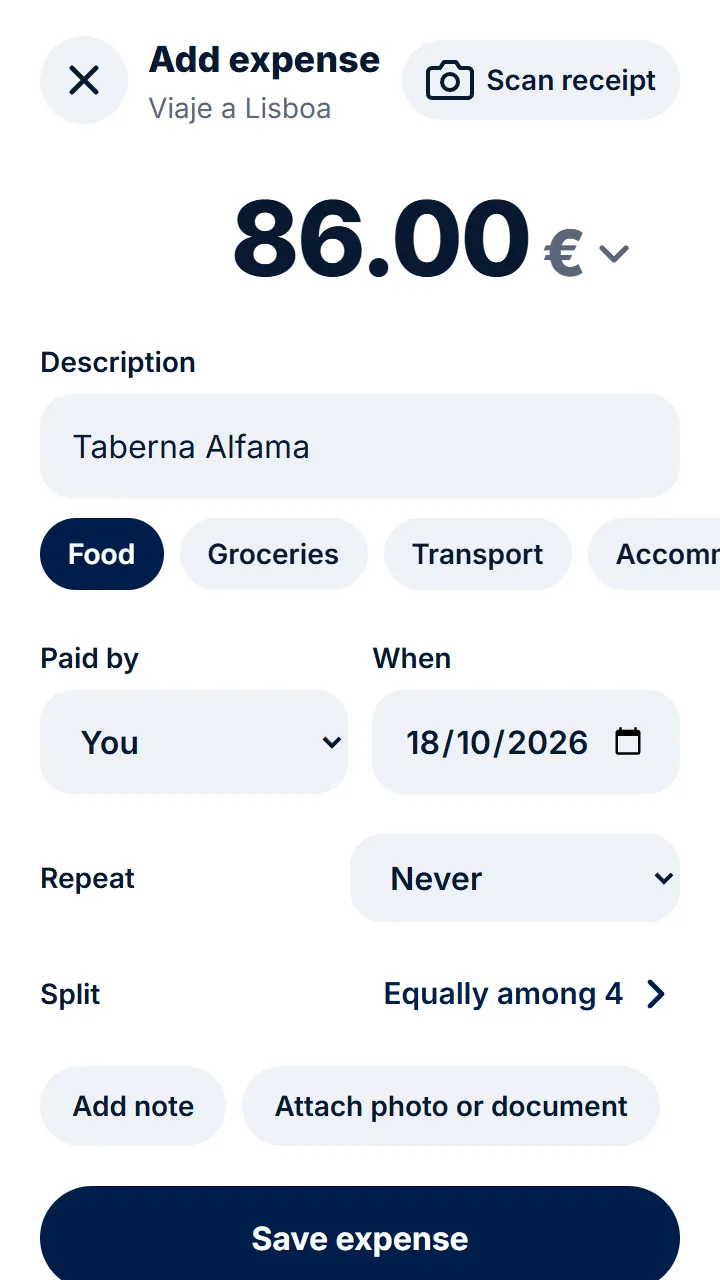
The work lunch, the birthday, the Sunday menu… Record who paid and Rounddrop splits the bill to the cent: equally, by what each person ordered or with an extra for whoever ordered more.
Free · On your phone and computer · Works offline too
-
By what each person ordered
Enter each person's amount or an extra for whoever ordered more, and the rest is split equally.
-
From the receipt photo
AI reads the total, the date and the restaurant and fills in the expense.
-
Only those who ate
Whoever didn't come doesn't pay, even if they're in the group.
-
Several people pay
If the bill was paid with two cards, record what each person put in.
In three steps
- 1 Record the total and who paid, or take a photo of the receipt.
- 2 Choose how it is split: equally or by what each person ordered.
- 3 Everyone sees what they owe and pays it by Bizum.
Questions
Can I enter what each person ordered?
Yes. Split by amounts, or with adjustments: each person pays their own extra and the rest is split equally.
What if two of us paid the bill?
In «Paid by», choose «Several people» and type what each person put in. Rounddrop takes it into account in the balances.
What about the tip?
Add it to the total and it is split with everything else, or record it as a separate expense between whoever wants to chip in.
Step-by-step guides
- Adding an expense How much, what for and who paid. That's all.
- Splitting an expense another way When not everyone takes part or pays the same.
- Adding an expense from a receipt photo Take a photo and the expense fills itself in.
- Getting paid by Bizum So whoever owes you has your phone number and the amount at hand.
Start splitting expenses today. It's free.
Get started for freeAlso: Split trip expenses Shared flat expenses Couple expenses Split expenses with friends