

Dinners, gifts and plans: everyone knows what they owe.
Thursday dinner, the birthday present, the concert tickets. Add it to Rounddrop and everyone will know what they owe, without chasing anyone.
Free · On your phone and computer · Works offline too
-
Only those who went
Split the dinner between those who were there, even if the group is bigger.
-
To the cent
Nobody overpays because of rounding: the cents are shared out fairly.
-
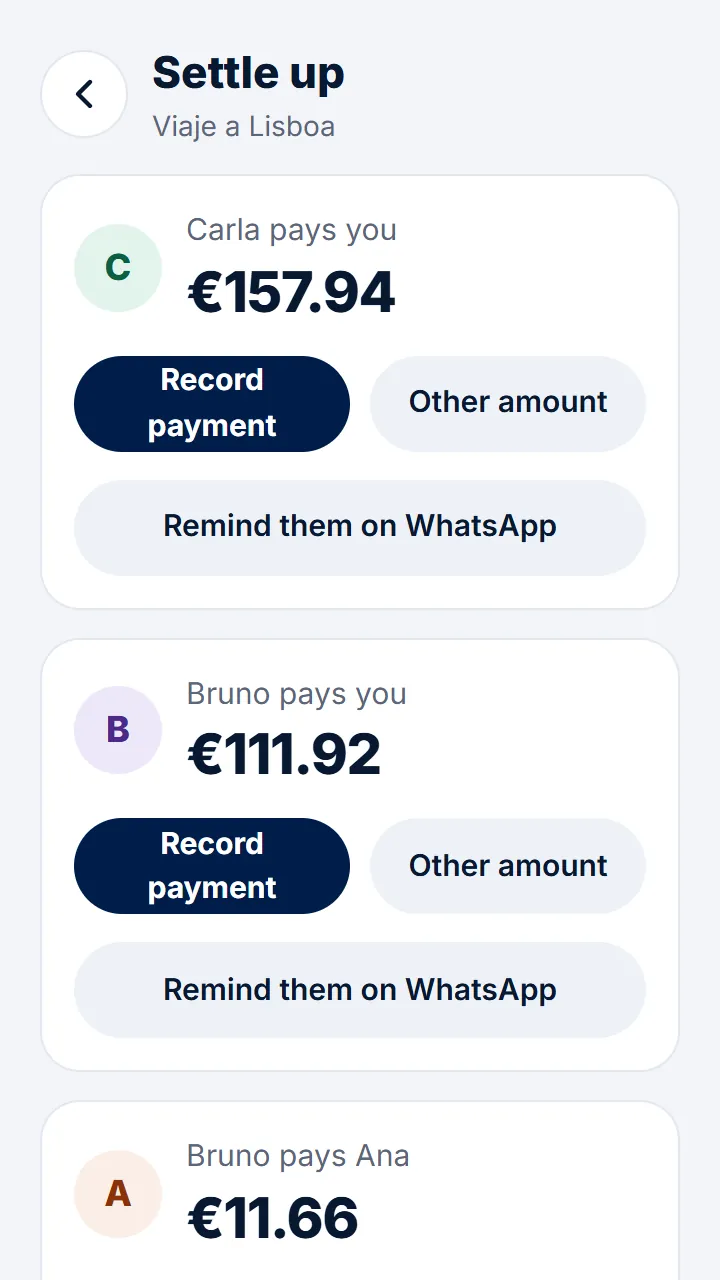
Remind without nagging
One tap and they get what they owe on WhatsApp.
-
Fewest payments
Instead of everyone paying everyone, a few payments and you're square.
In three steps
- 1 Create the group and send the link to your friends.
- 2 Add the dinner or the gift and choose who's in.
- 3 Tap «Settle up» to see who pays whom.
Questions
What if someone ordered more than the others?
Split by amounts or with adjustments: whoever ordered more pays their extra and the rest is split equally.
Can I add someone who doesn't have the app?
Yes. You add them by name and, if they want, they join later with the link and keep their expenses.
How do I remind someone who owes me?
In «Settle up», tap «Remind them on WhatsApp»: they get the amount and what it's for.
Step-by-step guides
- Create a group and invite the others One for the flat, another for the trip: create the group and send them the link.
- Splitting an expense another way When not everyone takes part or pays the same.
- Settling up Who pays whom, with as few payments as possible.
- Getting paid by Bizum So whoever owes you has your phone number and the amount at hand.
Start splitting expenses today. It's free.
Get started for freeAlso: Split trip expenses Shared flat expenses Couple expenses Split a meal bill