

Your name, the language and deleting your account
It's all in your profile. · 3 steps
-
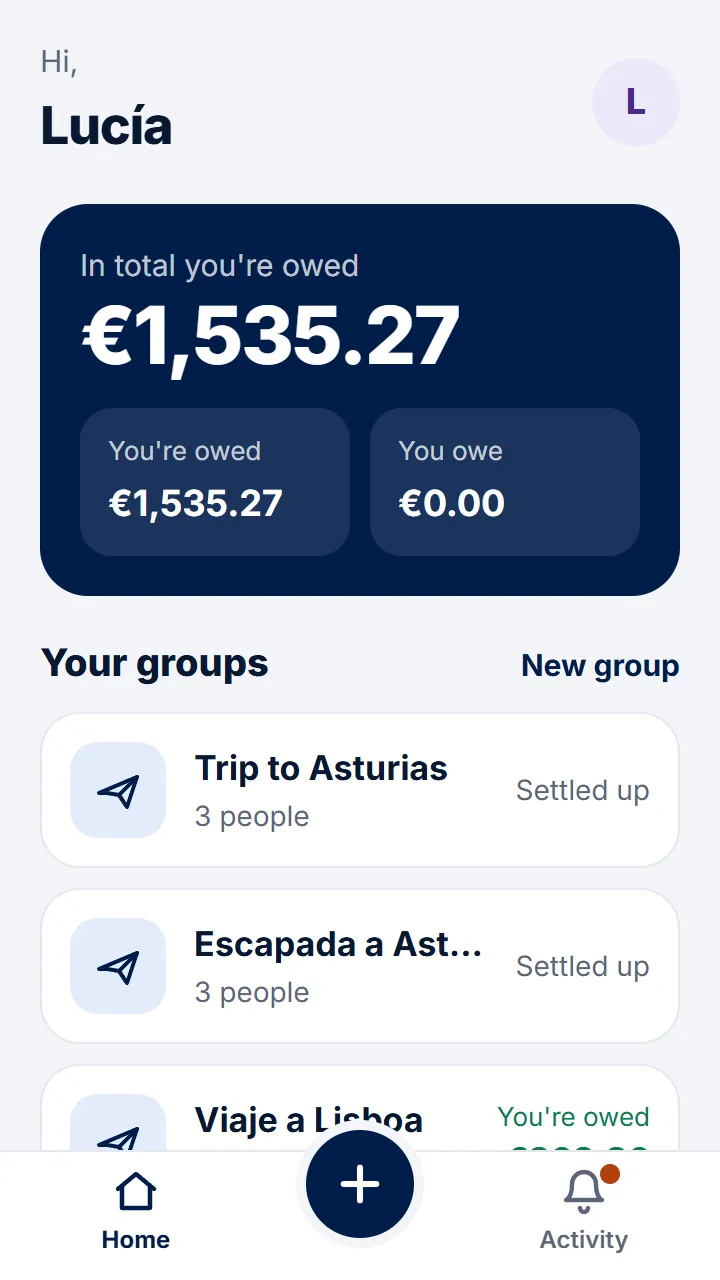
Step 1 of 3
On Home, tap your initial at the top right.
-
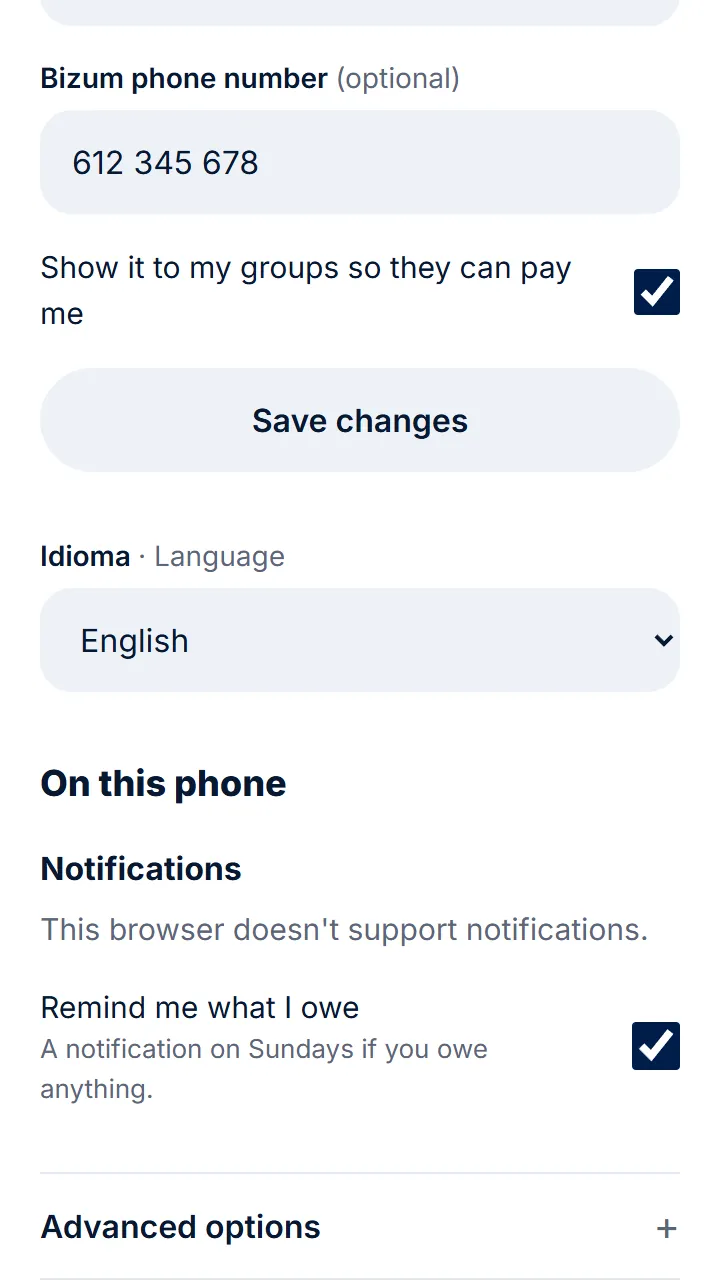
Step 2 of 3
Change your name or the language and tap «Save changes».
-
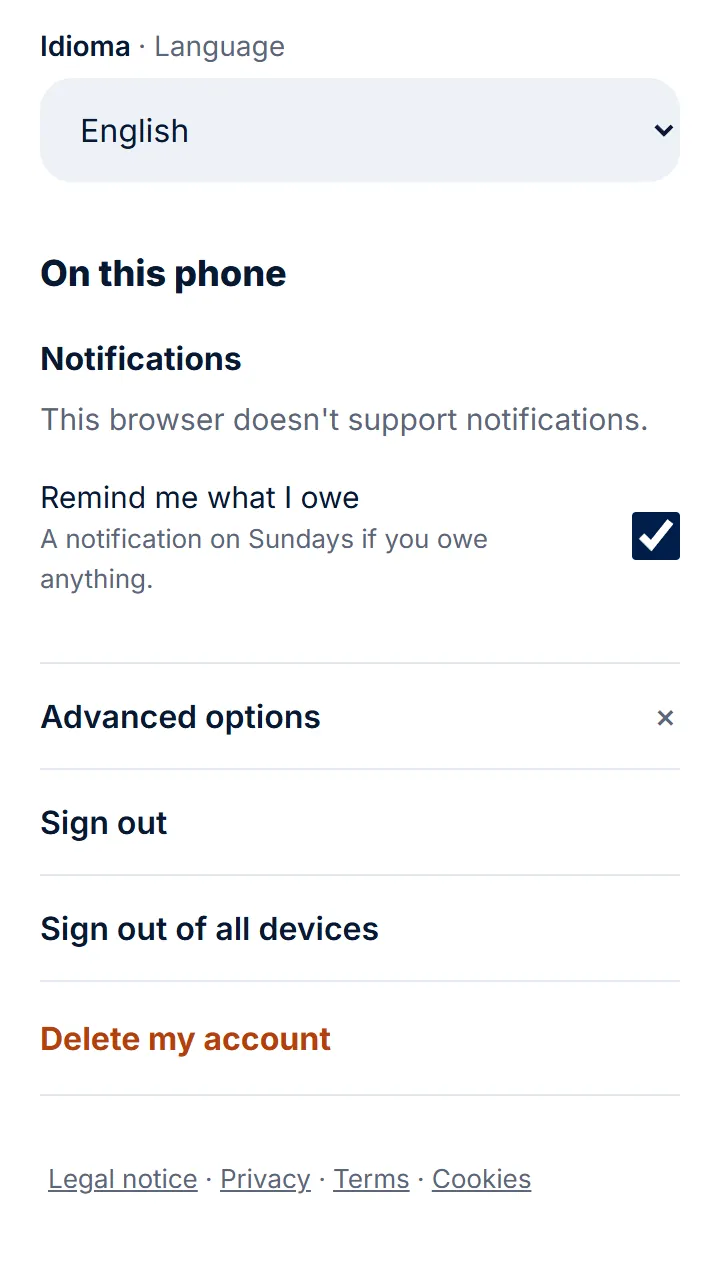
Step 3 of 3
To delete your account, open «Advanced options» at the bottom, tap «Delete my account» and type the code we send you.
Other guides
Still have questions? Frequently asked questions · Write to us