

Giving the group a budget
For the trip, in total; for the flat, every month. · 3 steps
-
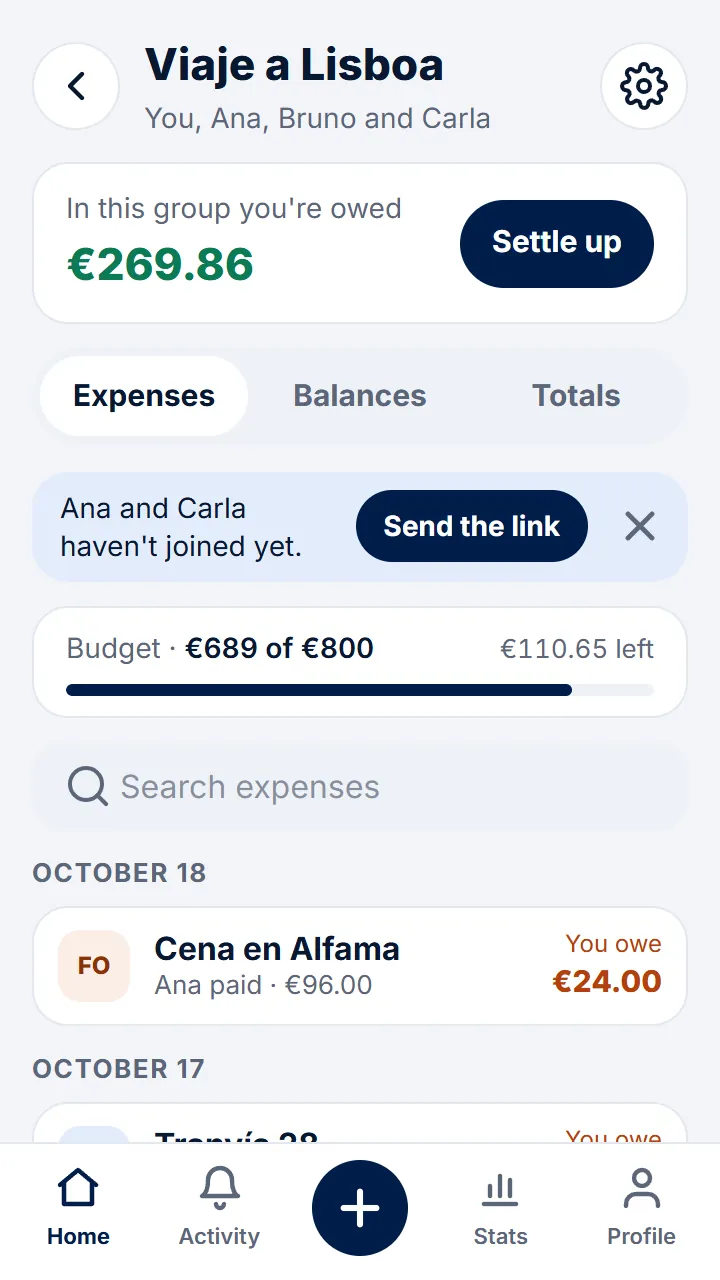
Step 1 of 3
In the group, tap the gear at the top right.
-
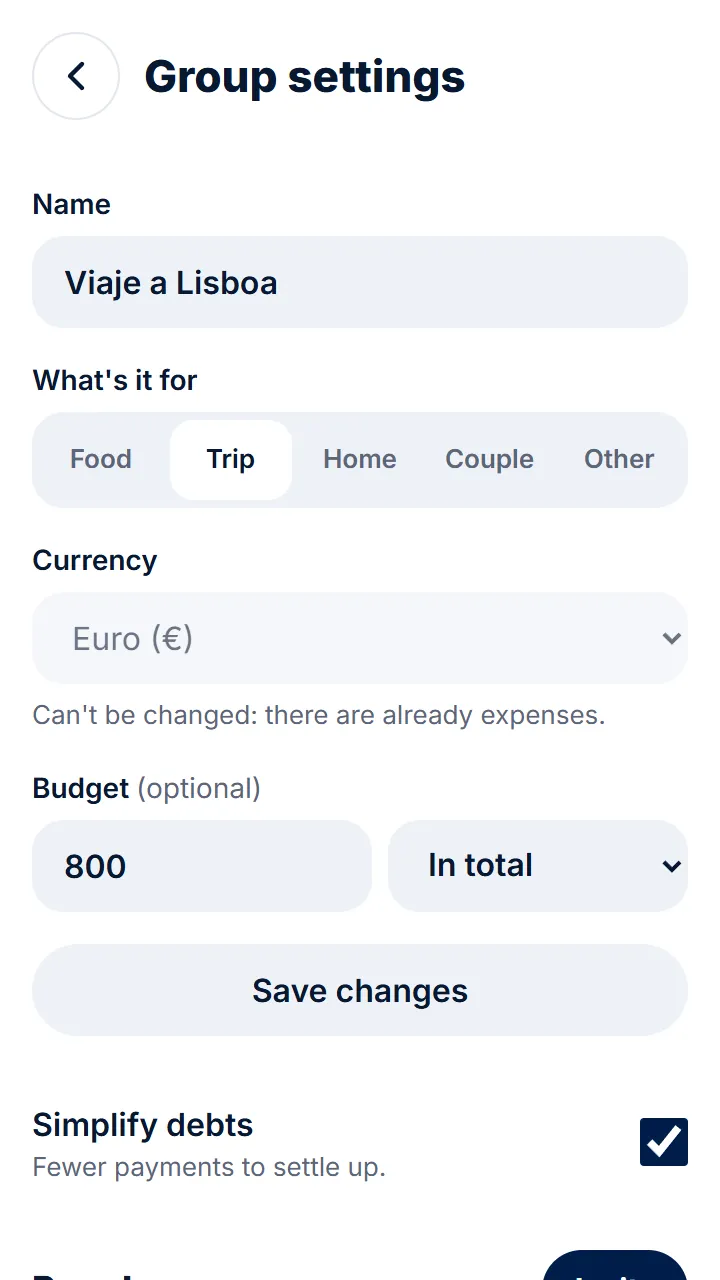
Step 2 of 3
In «Budget», type the amount, choose «In total» or «Every month» and tap «Save changes».
-
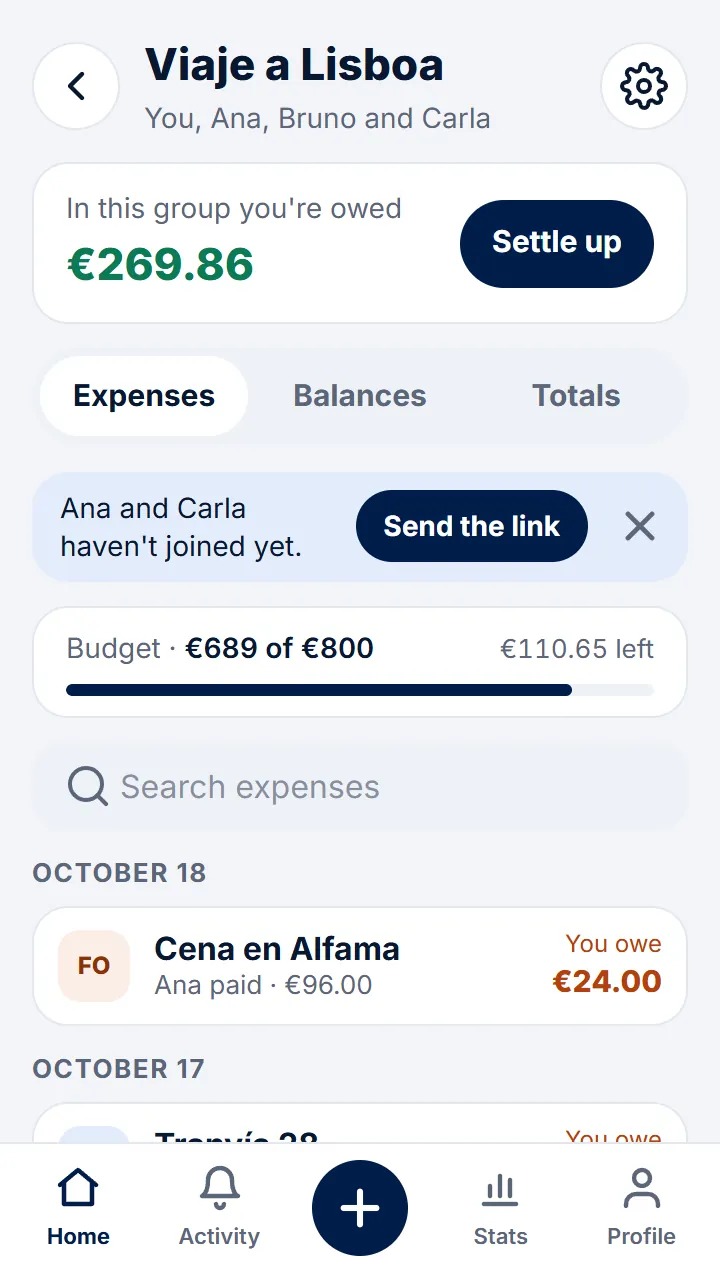
Step 3 of 3
The group shows what's been spent and what's left, or how far over you've gone.
Other guides
Still have questions? Frequently asked questions · Write to us