

Getting Rounddrop on your phone
With its own icon, like any app, and with notifications. · 3 steps
-
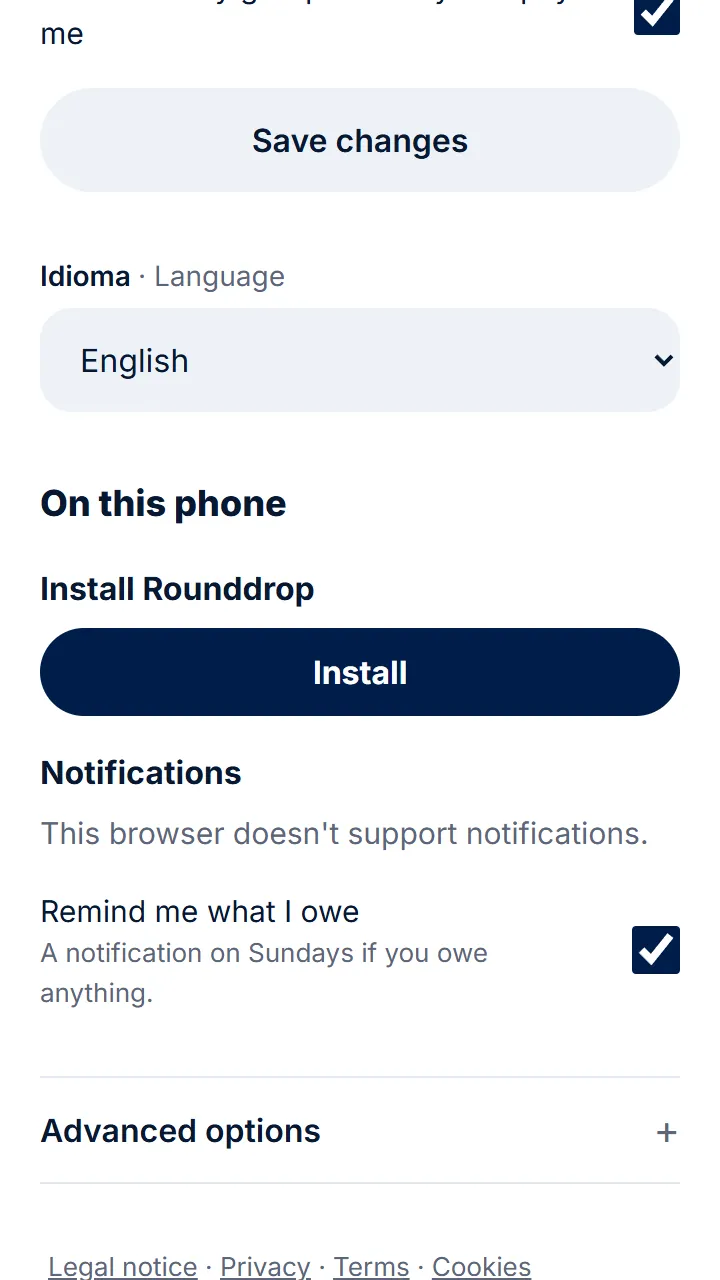
Step 1 of 3
On Android, open rounddrop.app in Chrome, go to your profile and tap «Install». If it isn't there, three-dot menu › «Install app».
-
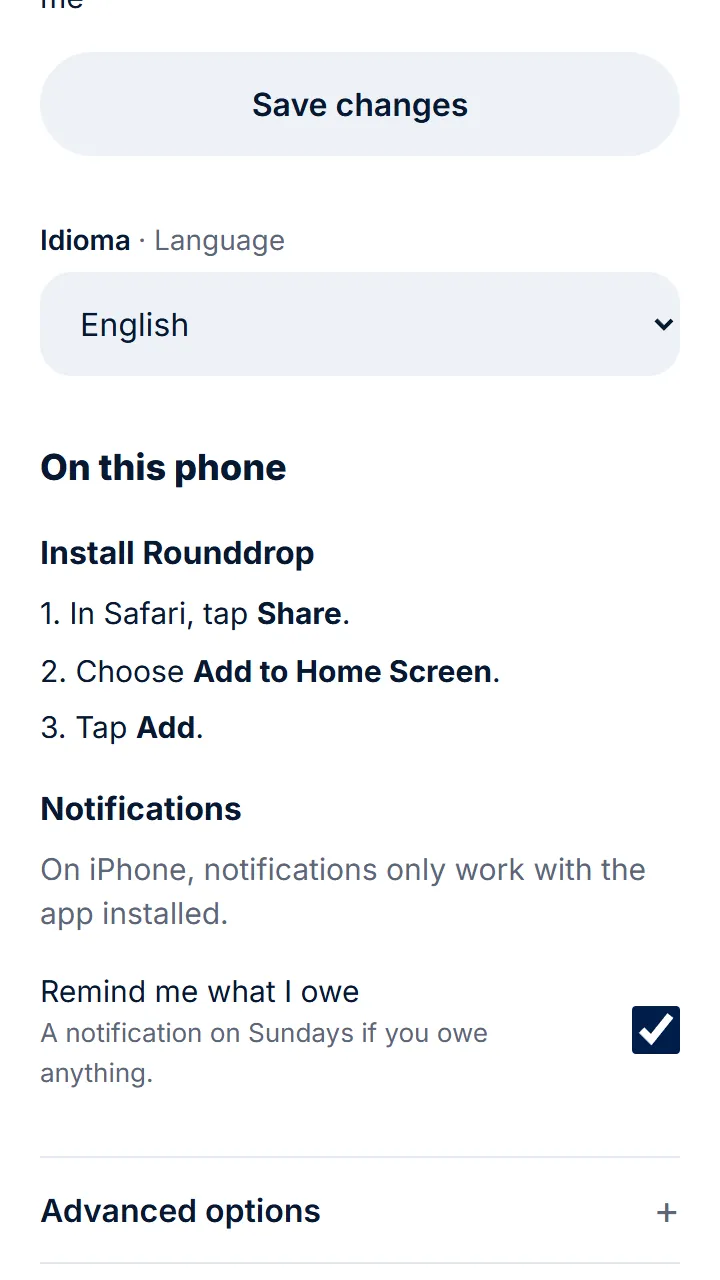
Step 2 of 3
On iPhone, open it in Safari, tap «Share», then «Add to Home Screen» and «Add».
-
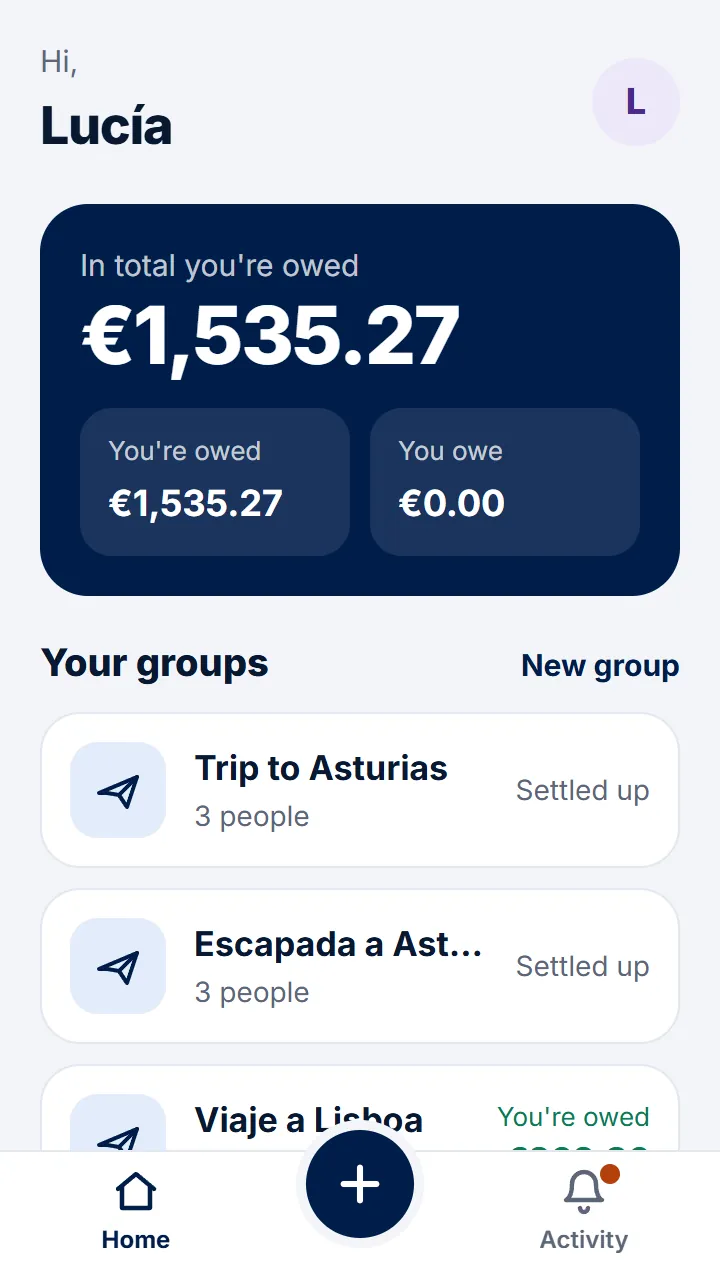
Step 3 of 3
Now it's on your phone, with its icon. It opens straight to your groups.
Other guides
Still have questions? Frequently asked questions · Write to us