

Bringing your groups from Splitwise or Tricount
Upload the CSV from there and you'll have the group with its expenses. · 4 steps
-
Step 1 of 4
In Splitwise, open the group, tap the gear and then «Export as spreadsheet». For Tricount, ask [email protected] for the CSV.
-
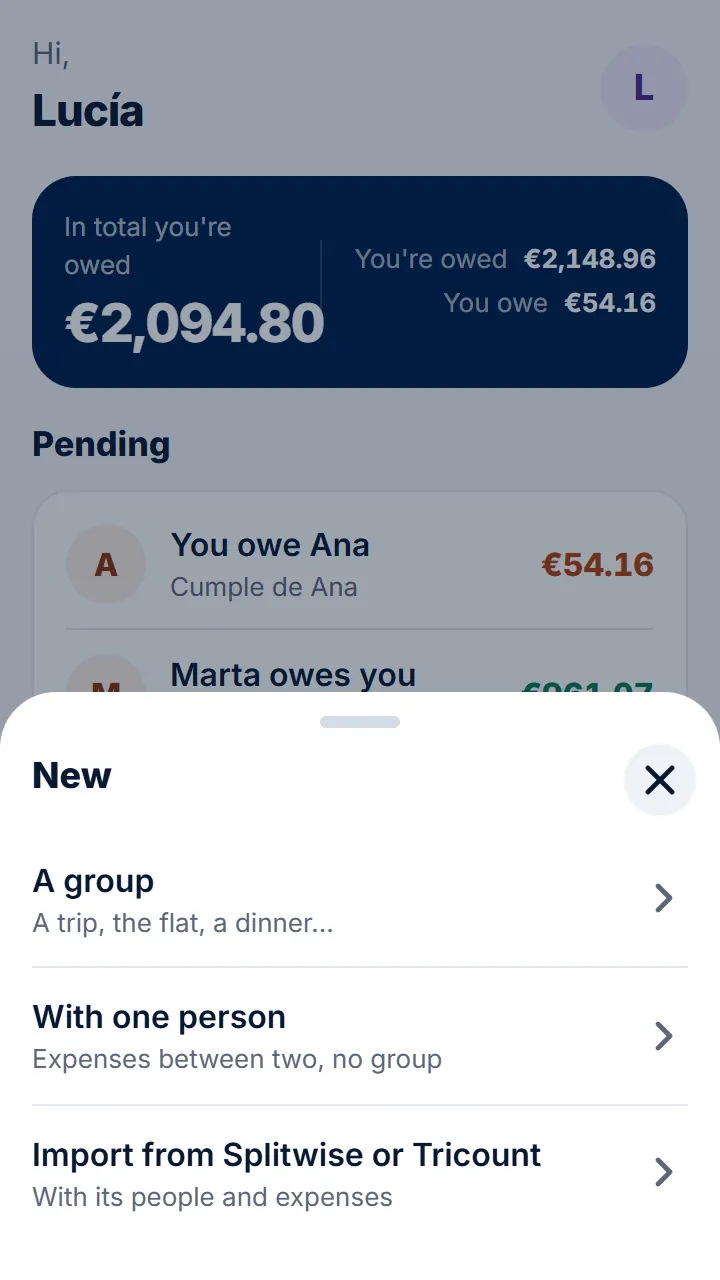
Step 2 of 4
In Rounddrop, tap «Import from Splitwise or Tricount»: it's on Home › «New» and in your profile. If you don't have any groups yet, Home shows «Coming from Splitwise or Tricount? Bring your groups».
-
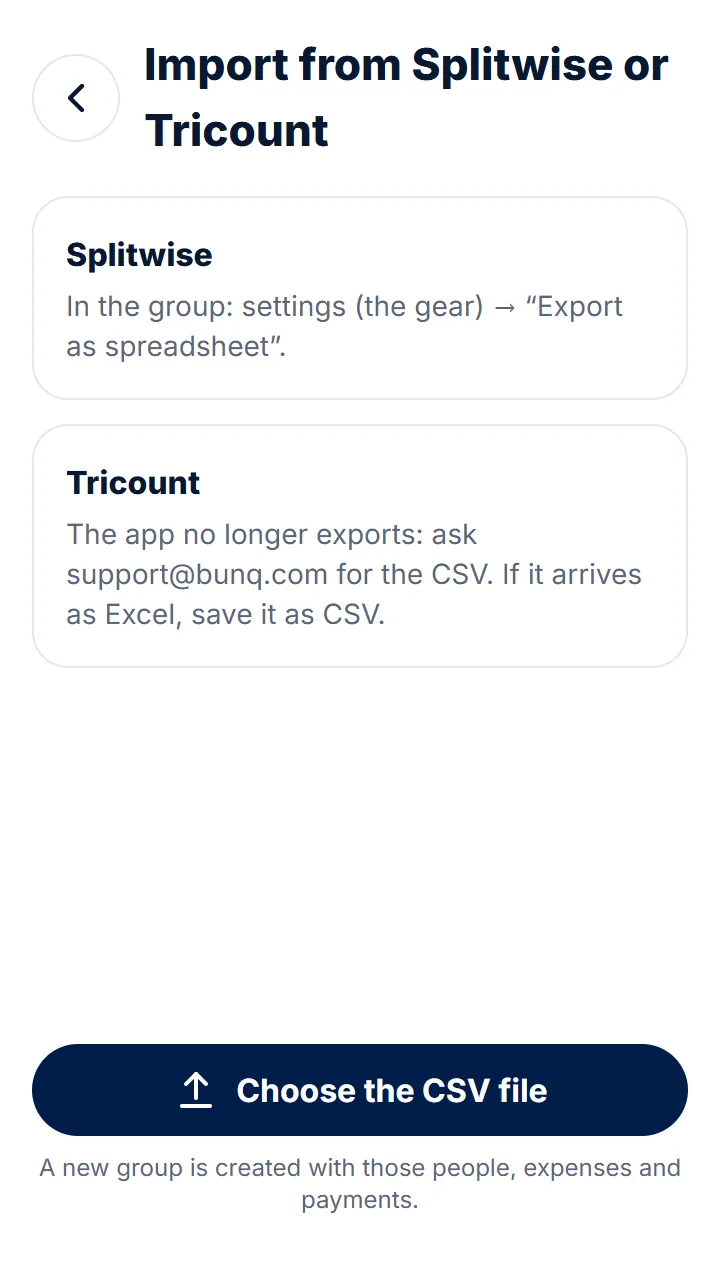
Step 3 of 4
Tap «Choose the CSV file», say who you are in the file and tap «Import».
-
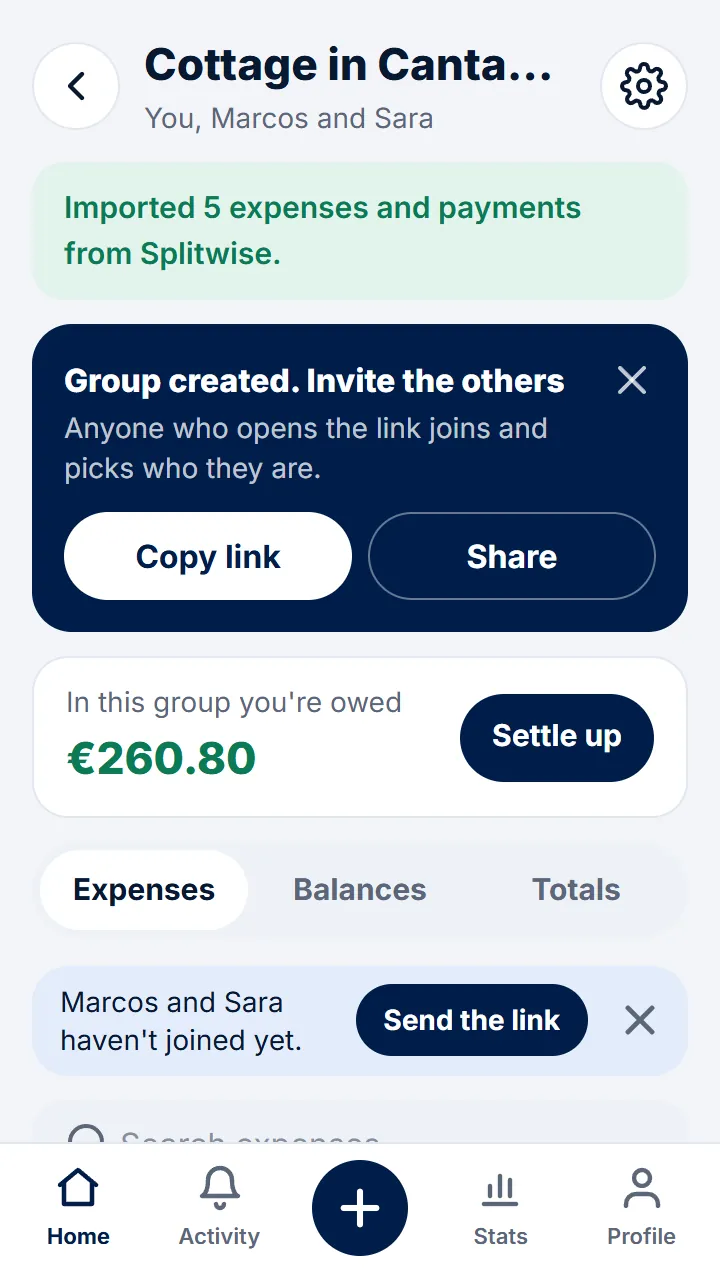
Step 4 of 4
A new group is created with its people, expenses and payments. Send them the link so they can join.
Other guides
- Signing in to Rounddrop No passwords: just your email and a code.
- Create a group and invite the others One for the flat, another for the trip: create the group and send them the link.
- Expenses with just one person For things between two, without creating a group.
- Getting Rounddrop on your phone With its own icon, like any app, and with notifications.
- Rounddrop in ChatGPT and Claude Ask who owes you or add an expense by talking to your assistant.
Still have questions? Frequently asked questions · Write to us