

Expenses with just one person
For things between two, without creating a group. · 3 steps
-
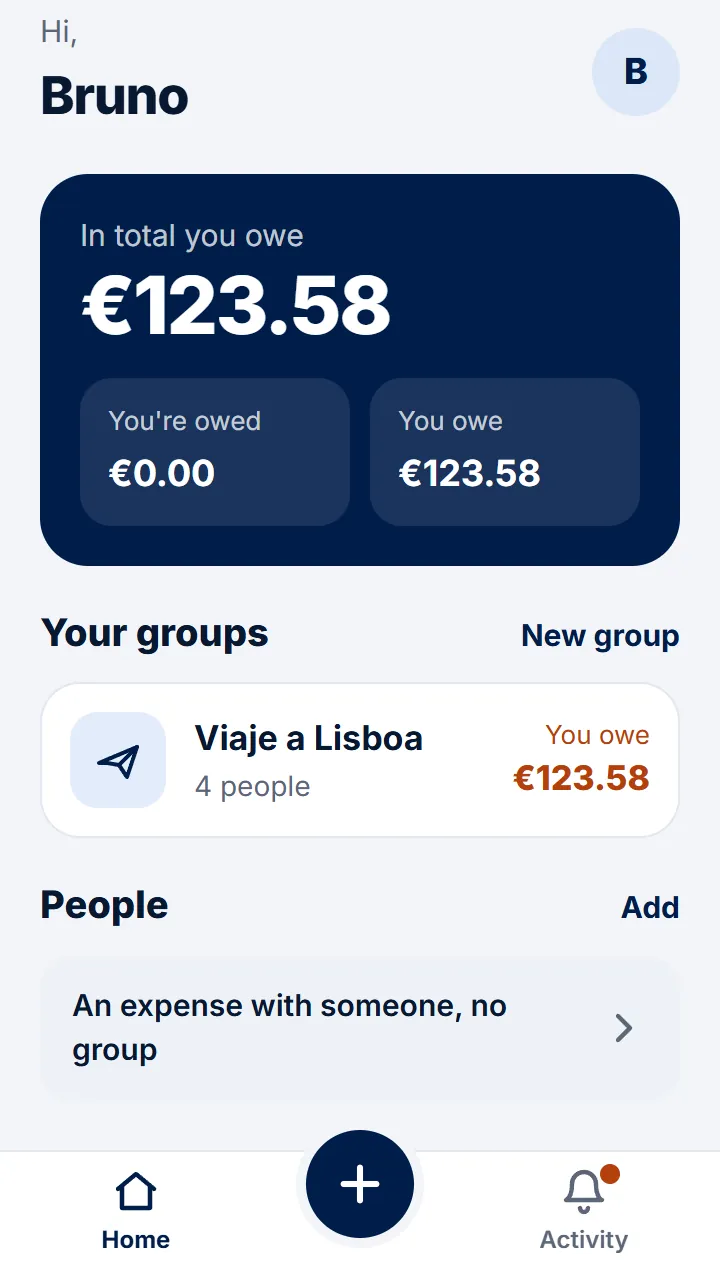
Step 1 of 3
On Home, tap «An expense with someone, no group».
-
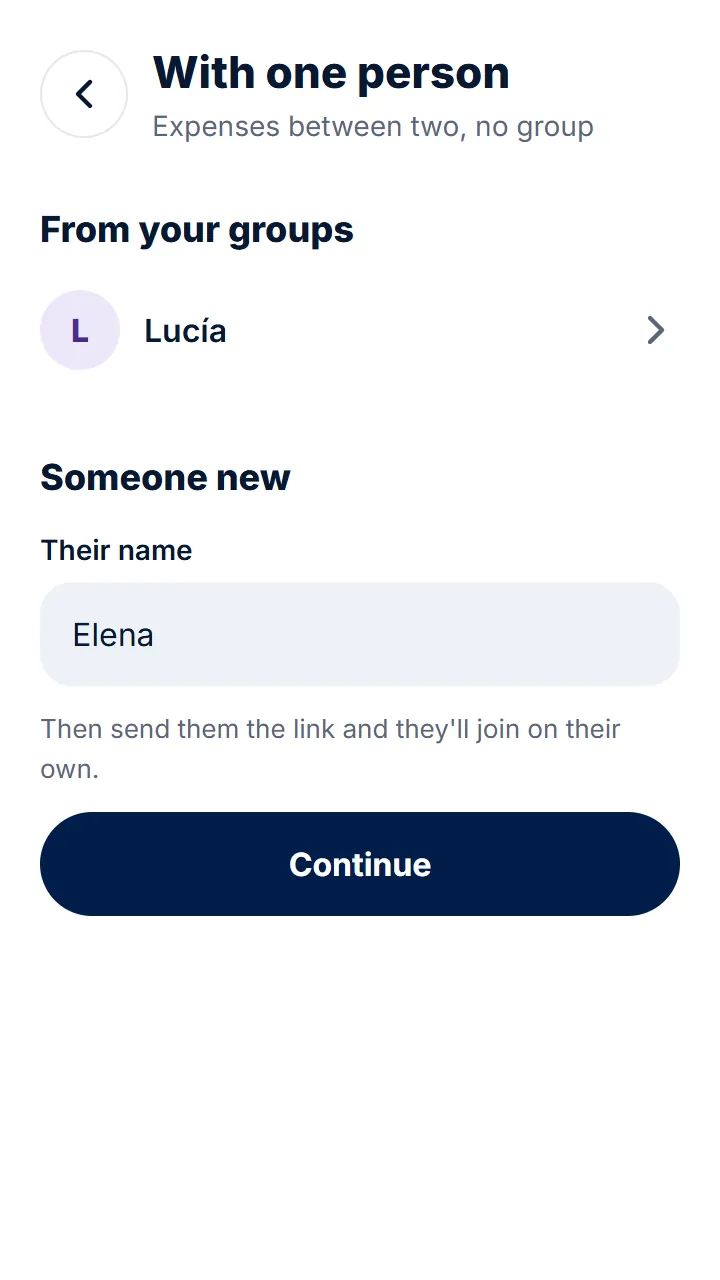
Step 2 of 3
Choose someone from your groups or type their name and tap «Continue».
-
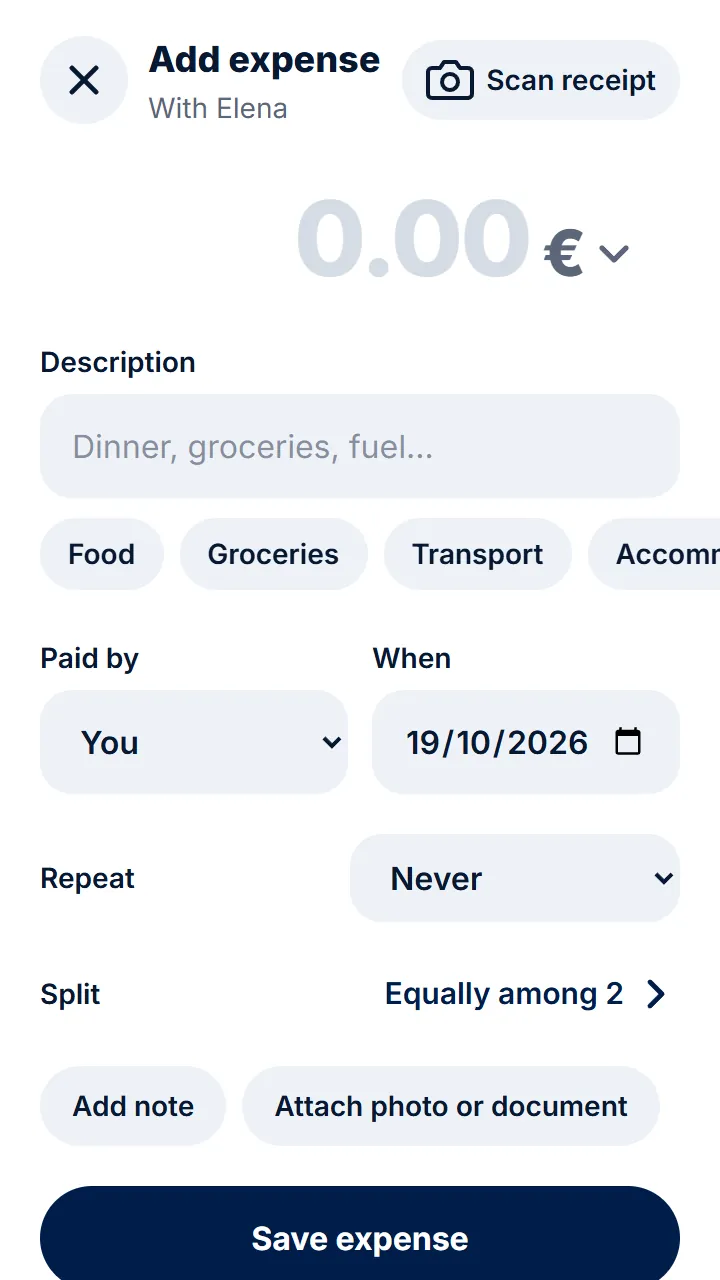
Step 3 of 3
Add expenses as in any group. Whenever you like, send them the link so they can see them.
Other guides
Still have questions? Frequently asked questions · Write to us