

Downloading expenses to Excel
All the group's expenses, in a spreadsheet. · 2 steps
-
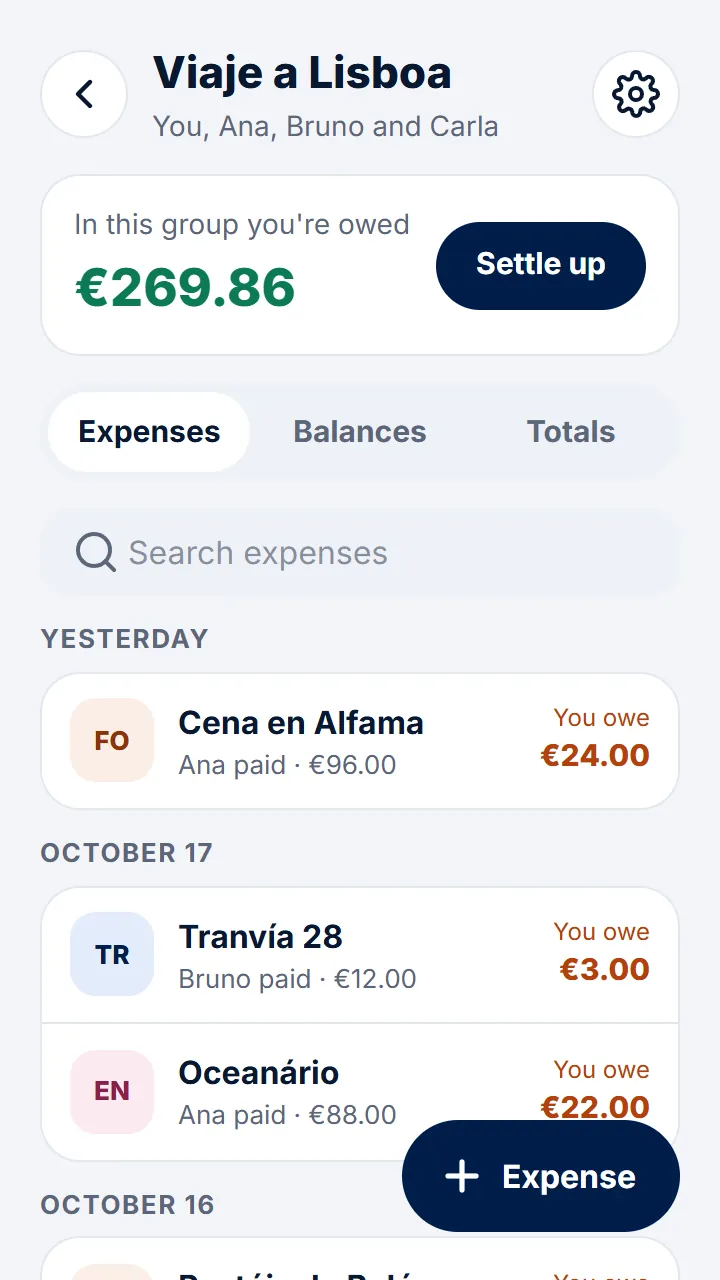
Step 1 of 2
In the group, tap the gear at the top right.
-
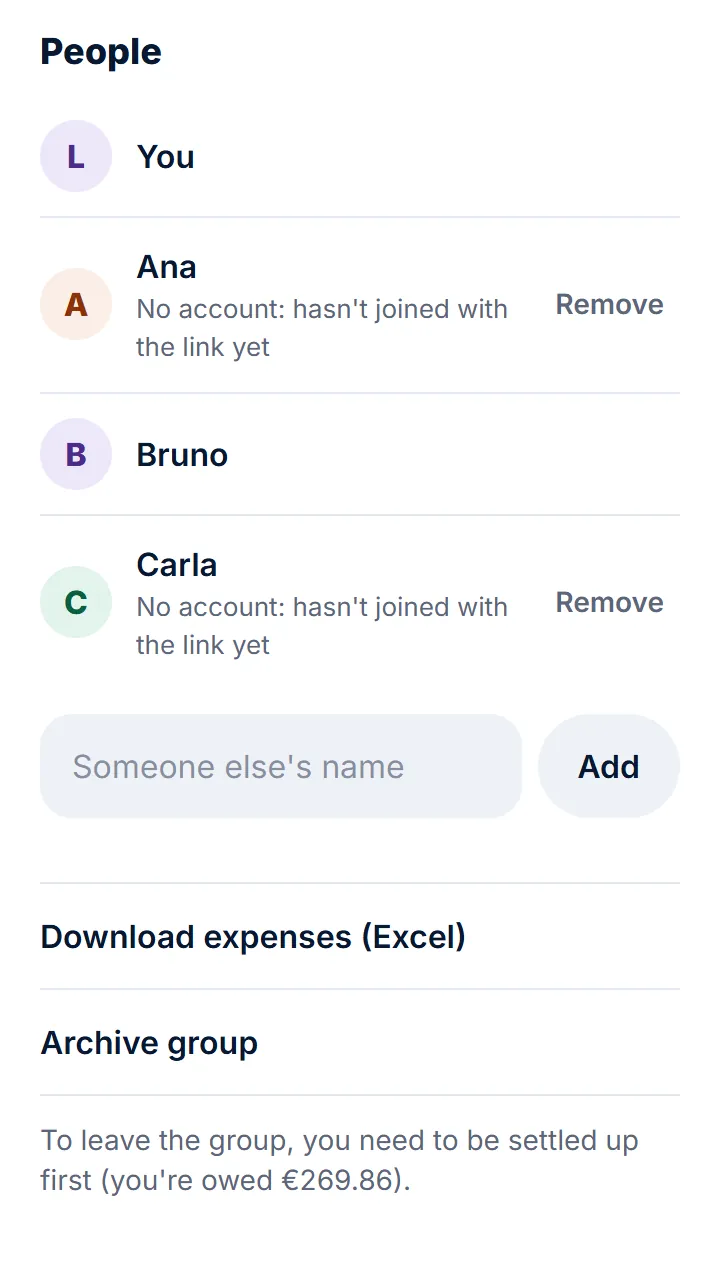
Step 2 of 2
Tap «Download expenses (Excel)».
Other guides
Still have questions? Frequently asked questions · Write to us