

Create a group and invite the others
One for the flat, another for the trip: create the group and send them the link. · 4 steps
-
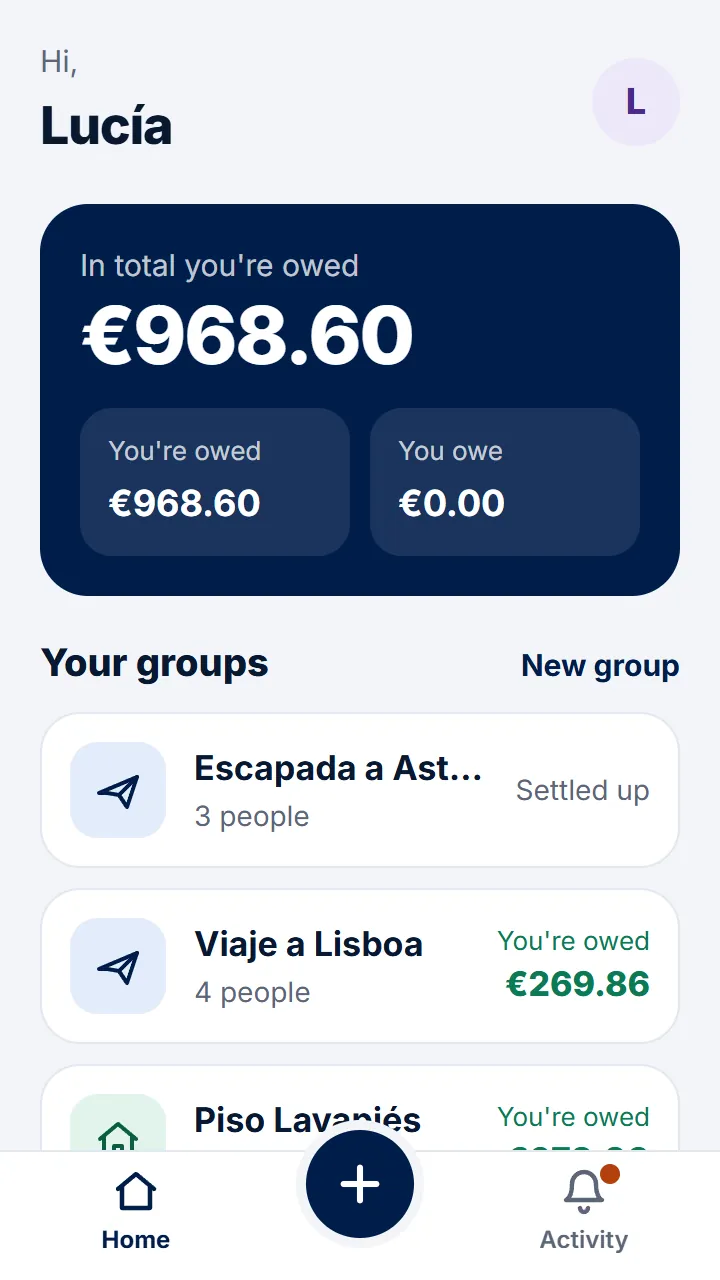
Step 1 of 4
On Home, tap «New group».
-
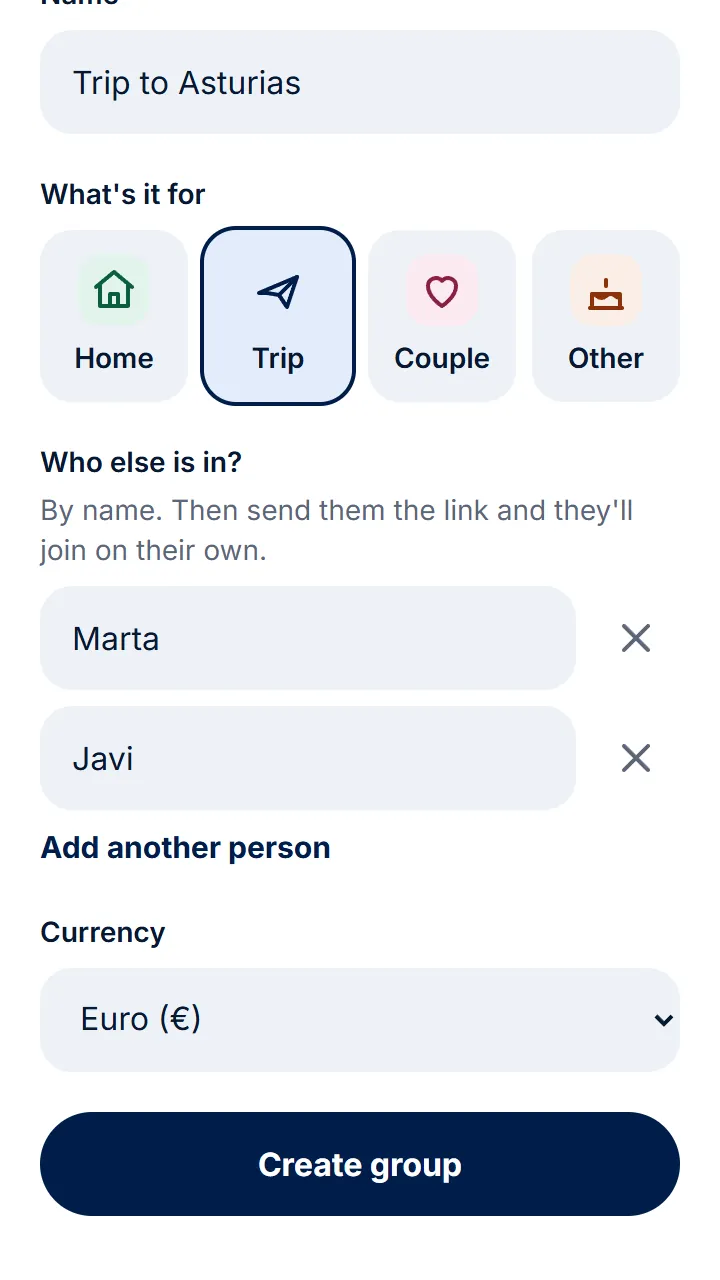
Step 2 of 4
Give it a name, choose what it's for and type the others' names. Then tap «Create group».
-
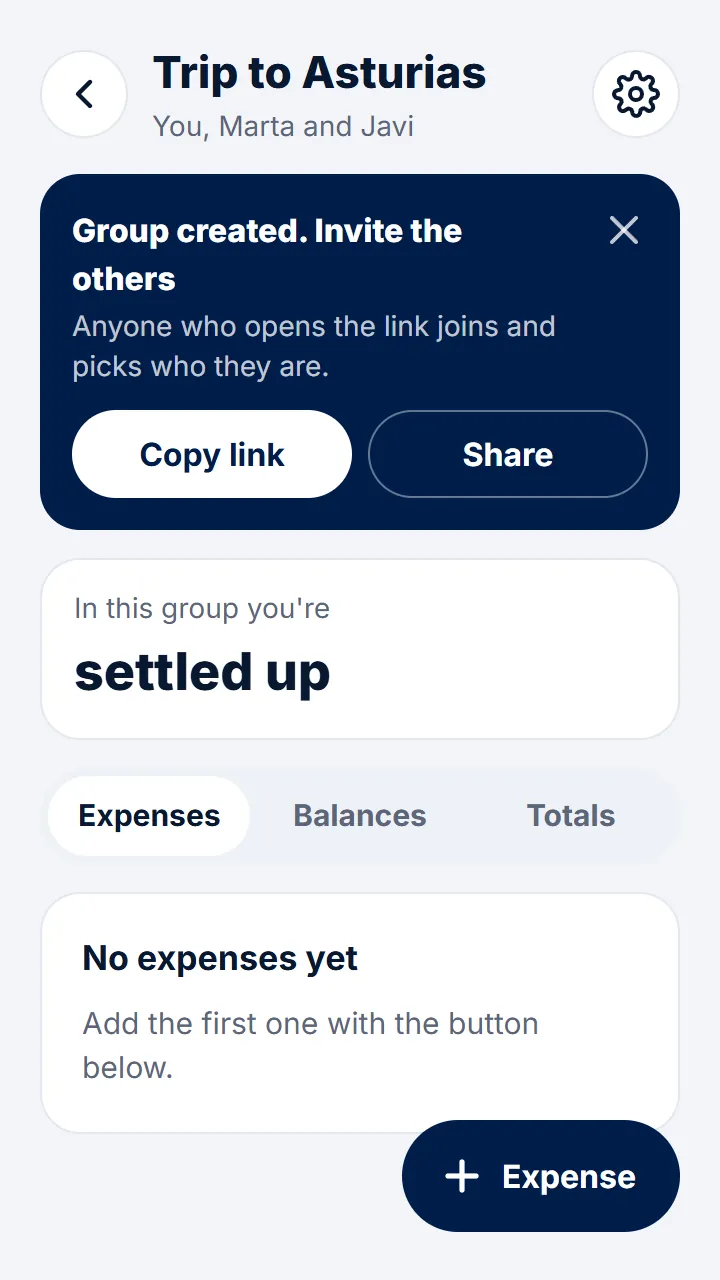
Step 3 of 4
Tap «Share» and send them the link on WhatsApp.
-
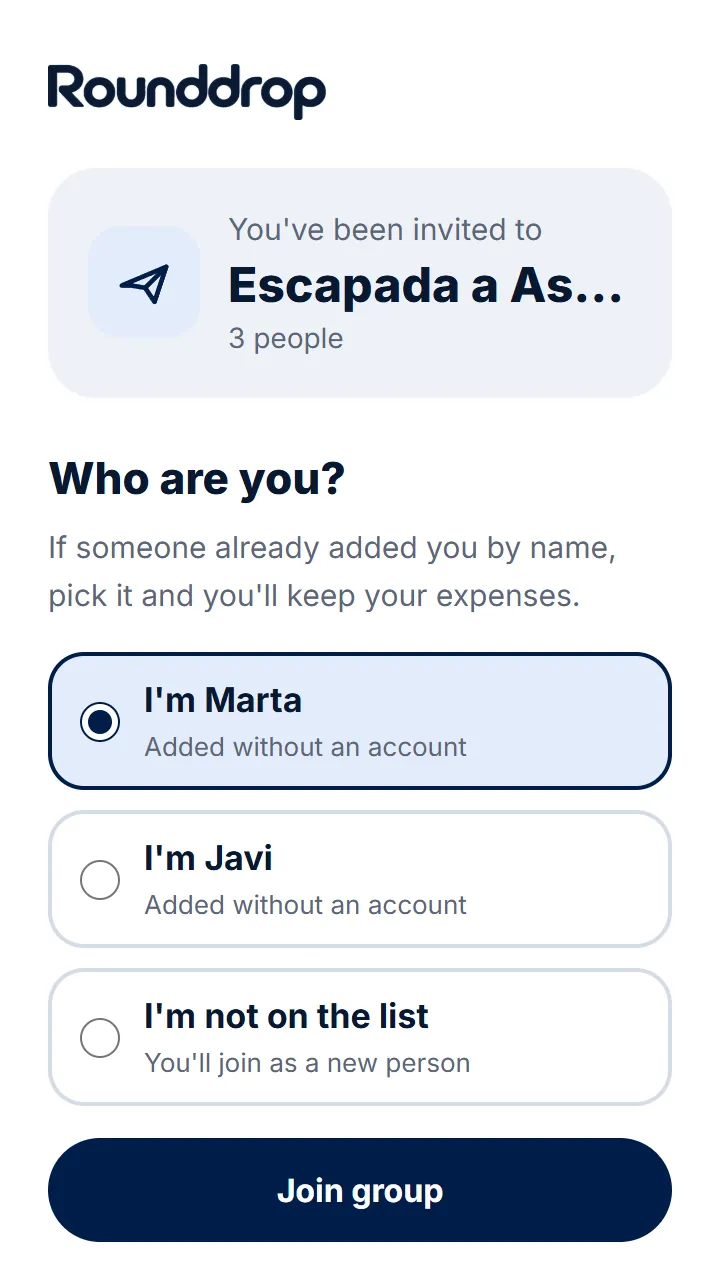
Step 4 of 4
Whoever opens the link signs in with their email and picks their name from the list. They're in.
Other guides
Still have questions? Frequently asked questions · Write to us