

Adding an expense
How much, what for and who paid. That's all. · 4 steps
-
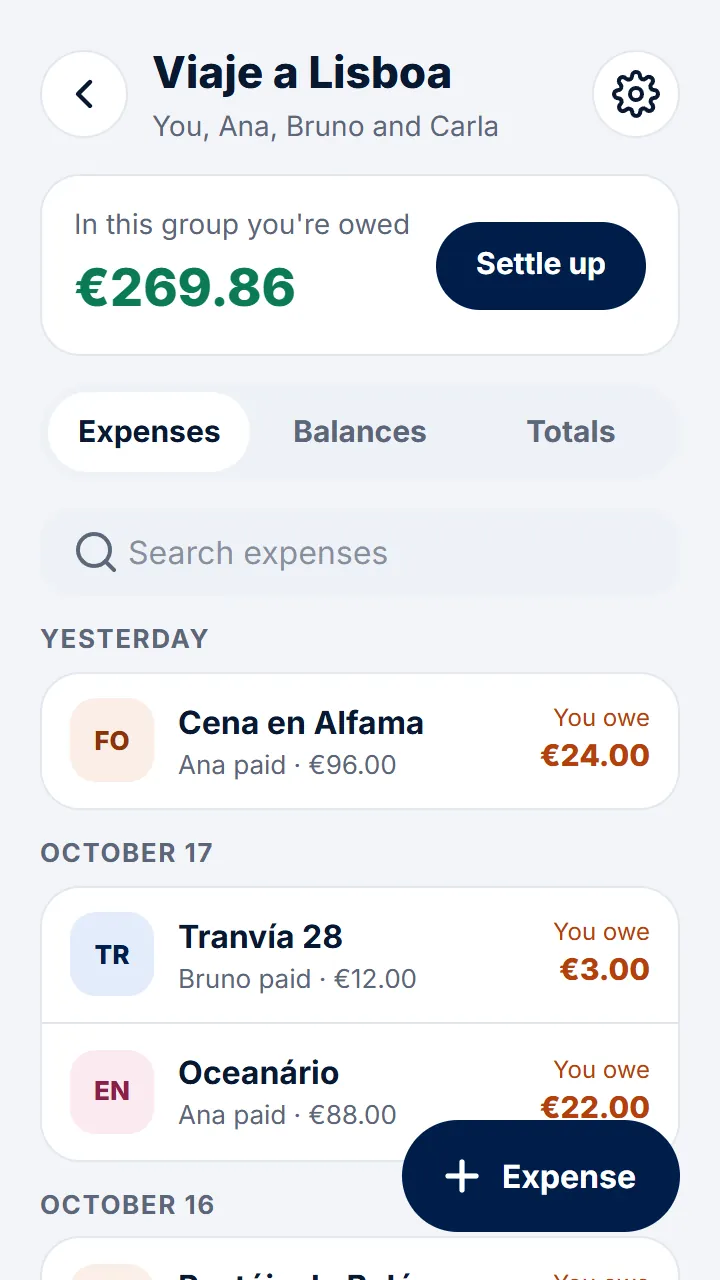
Step 1 of 4
Open the group and tap «Expense».
-
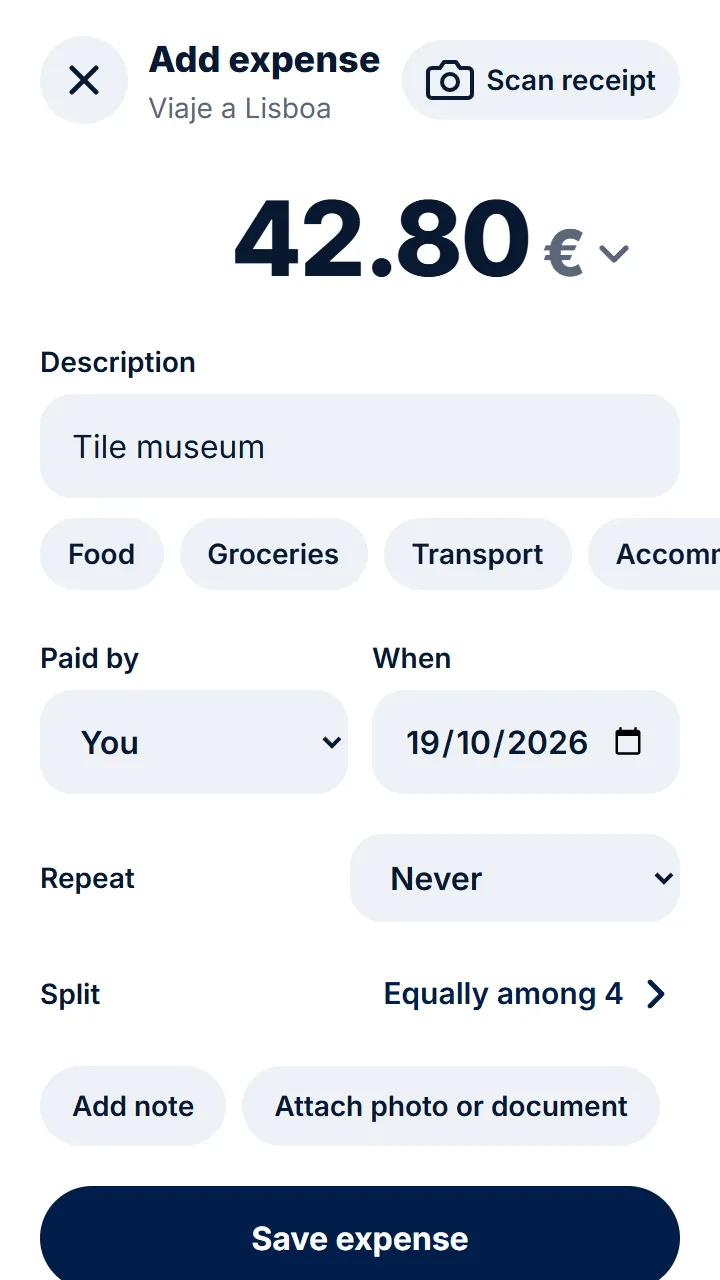
Step 2 of 4
Type how much it cost and what it was.
-
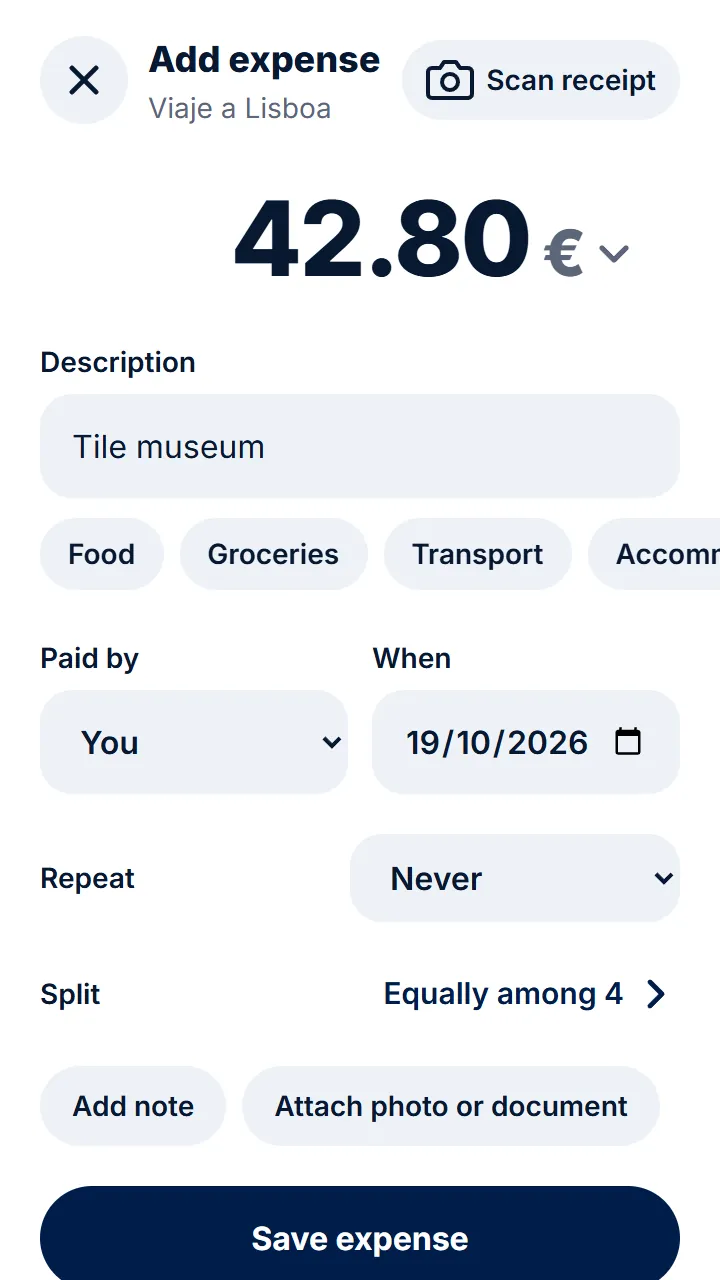
Step 3 of 4
Choose who paid. If you change nothing, it's split equally between everyone.
-
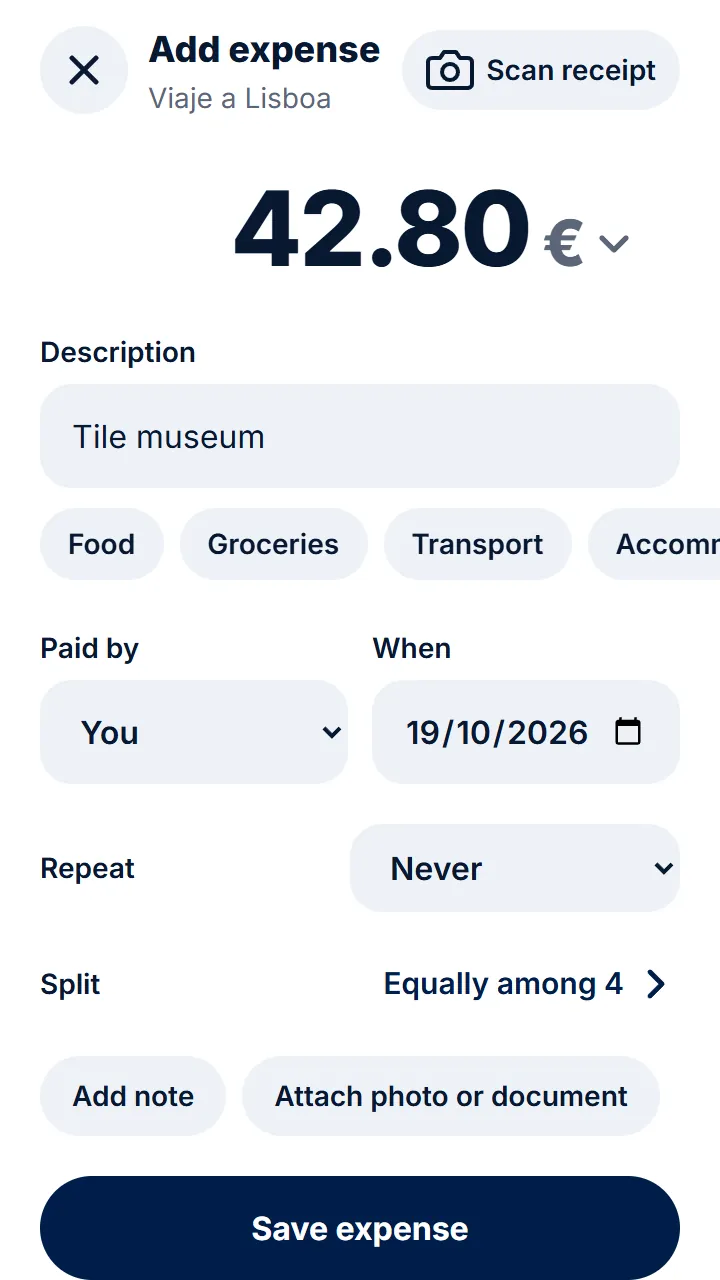
Step 4 of 4
Tap «Save expense». The others see it straight away.
Other guides
- Splitting an expense another way When not everyone takes part or pays the same.
- Adding an expense from a receipt photo Take a photo and the expense fills itself in.
- Expenses in another currency When travelling, add expenses in the currency you paid in.
- Recurring expenses Rent, bills or a subscription, without adding them every time.
Still have questions? Frequently asked questions · Write to us